
Tailstech's World

GETTING STARTED

How to install

You will need Minecraft, CurseForge and the Tailstech's World ZIP downloaded above.

Do not extract the ZIP before importing it.

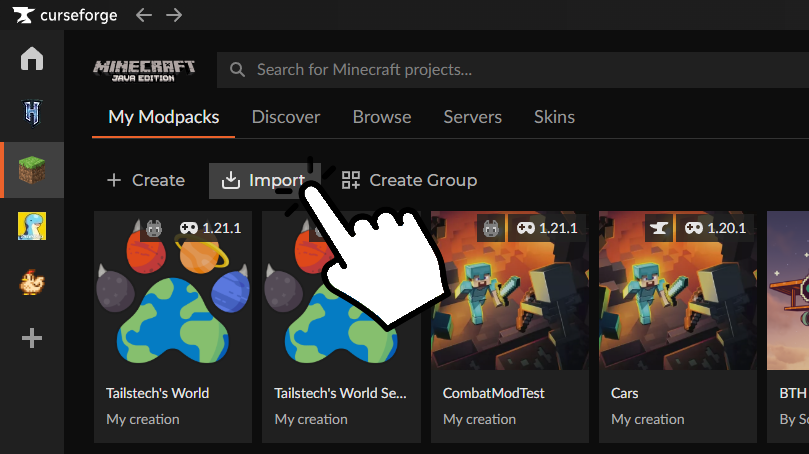
CurseForge import button
01

Open the import menu

Open Minecraft in CurseForge and click Import.

This opens CurseForge's profile import system.
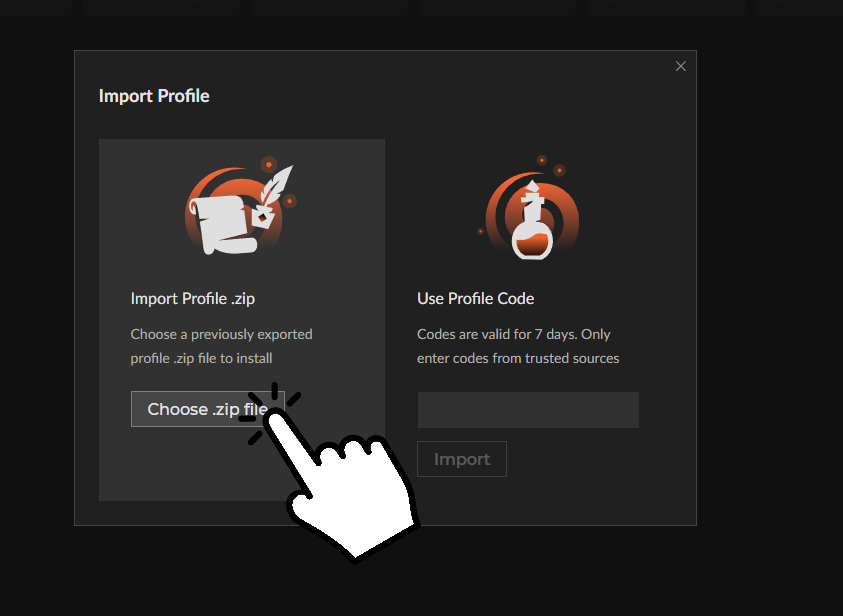
CurseForge ZIP import option
02

Select the ZIP

Choose the option to import a profile from a ZIP file.

Select the Tailstech's World ZIP you downloaded from this page.

Leave the ZIP intact. CurseForge will unpack and configure it for you.

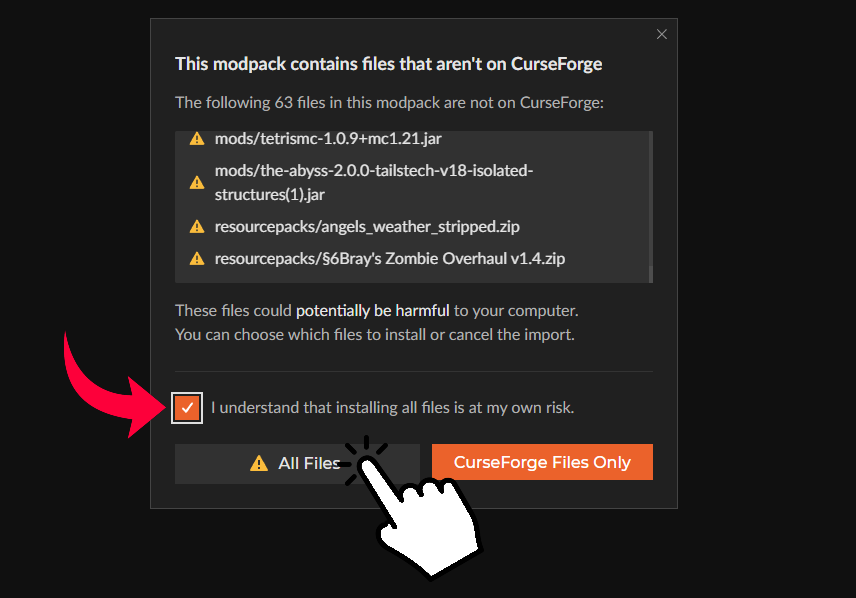
CurseForge external file warning
03

Accept the warning

CurseForge may warn that the profile wasn't downloaded directly from CurseForge.

This is expected because the pack is downloaded directly from tailstech.world.

Confirm the warning to continue.

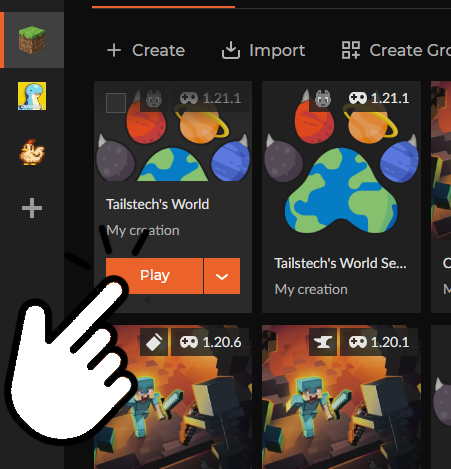
Tailstech's World ready to play in CurseForge
04

Play

Wait for CurseForge to finish creating the profile, then open Tailstech's World and press Play.

The multiplayer server is already included, so you can join directly from Minecraft's Multiplayer menu.